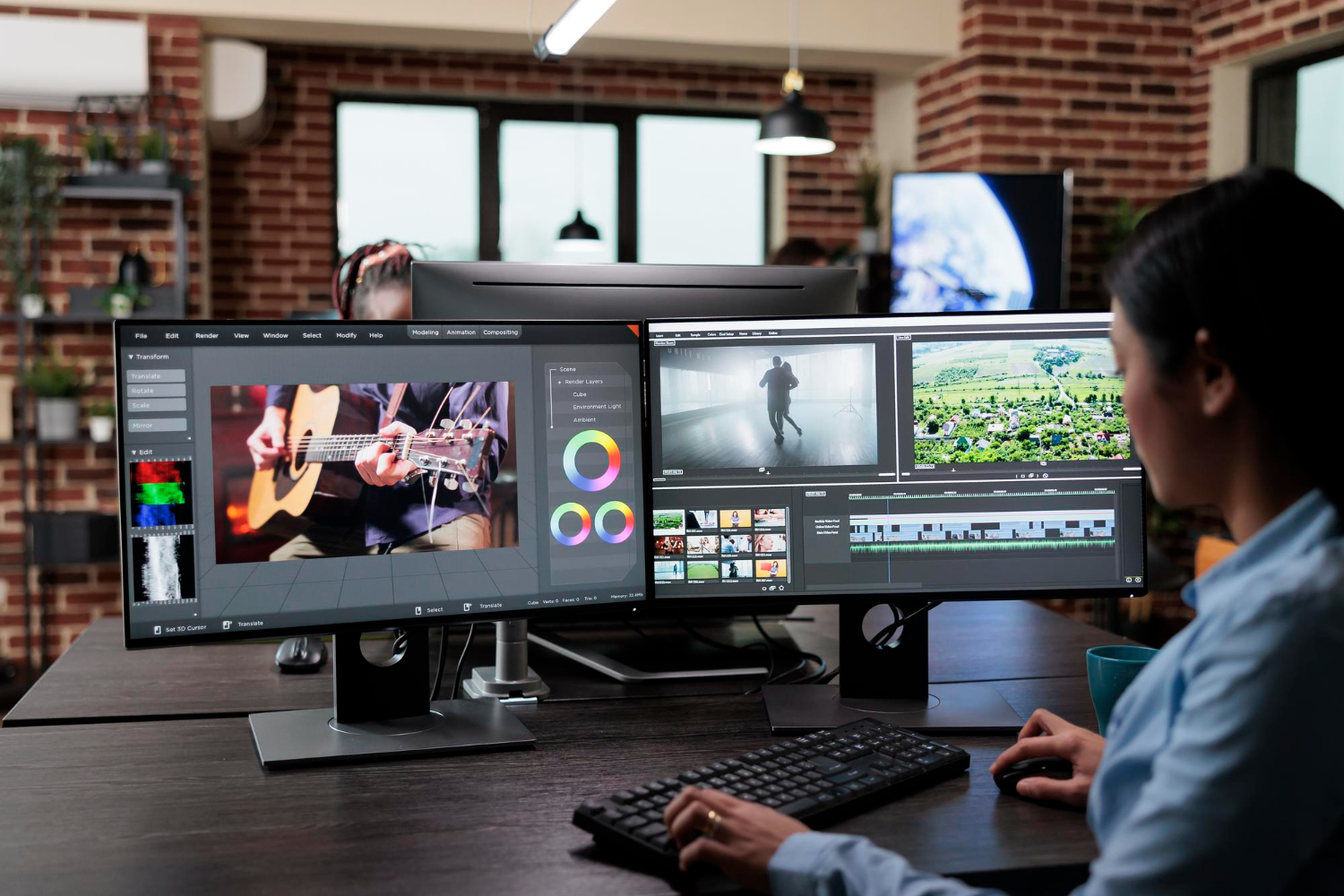
A video can be technically sharp, well edited and professionally lit yet still look wrong because the display used during post-production was showing an inaccurate image. A monitor that is too bright, too blue or overly saturated can quietly influence dozens of editing decisions, from skin-tone corrections to the color of a product package. Monitor calibration creates a more reliable visual reference, allowing the editor to judge exposure, white balance, contrast and color with fewer surprises when the finished video reaches other screens. It does not make every television, smartphone and laptop display identical, but it gives the editing process a trustworthy starting point.
This becomes particularly important in remote video production, where the client, editor and final audience may all view the same project through different hardware. A corporate reviewer might approve a cut on a bright office laptop, while the editor works on a calibrated professional display and the audience eventually watches on phones, televisions and desktop monitors. Those screens will never match perfectly. The purpose of accurate monitoring is therefore not to control every device in the world, which would be impossible, but to ensure that creative decisions are made from a known and repeatable reference.
Calibration gives corporate color decisions a dependable reference
Color consistency becomes much more than an aesthetic preference when a video represents a company, product or recognizable brand identity. In Corporate Video Editing Services, the editor may be responsible for matching interview footage, product photography, animated logos and branded graphics within the same sequence. If the monitoring display exaggerates reds or suppresses certain blues, corrections can compensate for a problem that exists only on that particular screen. The finished master then travels elsewhere and suddenly looks too warm, too cold or strangely oversaturated.
Calibration attempts to reduce that uncertainty by bringing the display toward measurable targets for characteristics such as white point, gamma, brightness and color response. The exact target depends on the intended viewing environment and delivery standard, but the principle remains straightforward. The editor needs to know what the monitor is actually showing before making precise judgments about the image. Otherwise, color correction becomes the visual equivalent of tuning an instrument while wearing earplugs.
Brand colors make the issue particularly easy to understand. Imagine a company whose packaging uses a specific deep red, photographed under controlled lighting for a product video. An inaccurate monitor could make that red appear dull, encouraging the editor to increase saturation until the image looks correct locally. On a more accurate display, the same product may now appear unnaturally intense, which can undermine the consistency between the video, the physical packaging and other marketing materials.
A calibrated monitor does not guarantee that every viewer sees the same image. It ensures that the person making color decisions is not correcting the display instead of correcting the video.
That distinction is important because corporate videos frequently have long useful lives. A single master can be adapted for social media, presentations, advertisements and internal communication months after the original project is approved. Reliable monitoring makes those future versions easier to manage because the underlying grade was created from a stable visual reference. The practical benefit is consistency rather than perfection, and consistency is usually what brands actually need.
Remote editing makes a trustworthy display more important, not less
Remote post-production removes the possibility of assuming that everyone is looking at the same physical monitor in the same room. A Video Editor Miami Remote may receive footage from one location, edit from another and send review links to decision-makers scattered across several offices. Each participant can have a different screen, brightness setting and ambient lighting condition. Under those circumstances, the editor’s calibrated monitor becomes the stable reference around which uncertain client displays can be interpreted.
A common remote-review conversation illustrates the problem. One reviewer says that the image looks dark, another says it is perfectly exposed, and a third reports that skin tones seem slightly orange. All three comments can be sincere because their displays may be presenting different versions of the same file. Without a reliable reference, subjective screen differences can accidentally become revision instructions, causing the editor to chase one device after another.
The professional response is not to dismiss client observations, because review feedback still matters. Instead, the editor can evaluate those comments against scopes, exposure tools and a calibrated image before deciding whether a real correction is necessary. Waveforms, vectorscopes and other measurement tools can help confirm what the eye sees. This combination of calibrated monitoring and objective scopes is considerably more dependable than adjusting a project simply because one laptop happens to be set to maximum brightness.
- A calibrated editing display provides a consistent reference for exposure and color.
- Video scopes offer numerical information that does not change with the monitor’s appearance.
- Client review screens remain useful for judging practical viewing conditions, even when they are not color accurate.
- Multiple device checks can reveal how a finished grade behaves outside the controlled editing environment.
Remote work can therefore benefit from a deliberate division between reference evaluation and real-world testing. The calibrated monitor answers whether the master is technically and visually balanced, while ordinary phones, laptops and televisions reveal how that balance survives common consumer displays. Both perspectives matter. Confusing them, however, turns post-production into a game of adjusting one screen to compensate for another.
A professional editor needs more than an expensive monitor
High-end displays can offer better panels, wider color coverage, improved uniformity and more precise controls, but price alone does not guarantee an accurate image. A Professional Video Editor Remote still needs to configure, calibrate and periodically verify the monitoring system. A premium screen left for years at factory settings can drift away from its original behavior. Professional monitoring is a process, not merely a purchase.
Display calibration commonly involves measurement hardware capable of reading the colors and luminance produced by the screen. Calibration software compares those measurements with defined targets and creates adjustments or profiles intended to reduce deviations. Some professional monitors support internal hardware calibration, while other workflows rely on operating-system profiles or external signal-management solutions. The technical implementation varies, but the goal is always to make the display’s behavior known rather than guessed.
Monitor uniformity matters as well. A screen can look accurate near its center while showing slightly different brightness or color characteristics near the edges, particularly on lower-quality panels. This becomes noticeable when an editor evaluates large areas of neutral color or compares two shots displayed at different positions. No calibration system can transform fundamentally inconsistent hardware into a perfect reference display, which is why panel quality and calibration capability have to work together.
The surrounding environment can sabotage accurate hardware surprisingly quickly. A perfectly calibrated monitor viewed beside a bright window or beneath strongly colored lighting does not provide the same perceptual conditions as one used in a controlled room. Human vision adapts continuously to ambient light. Spend ten minutes in a room illuminated by warm lamps and a neutral image may begin to look slightly cool, which is a useful reminder that the eyes themselves are part of the monitoring chain.
Professional practice therefore pays attention to screen settings, measurement, room lighting and viewing habits as a connected system. This does not mean every remote editor needs a laboratory-grade grading suite to cut a business interview. It means that color-sensitive decisions should be made under conditions that are reasonably controlled and repeatable. The more important color is to the project, the less sensible it becomes to rely on an unverified consumer display straight from the box.
Skin tones reveal monitoring errors surprisingly quickly
Human faces are among the most visually sensitive elements in video because viewers have extensive everyday experience with them. Small color shifts that go unnoticed in a wall, desk or landscape can look immediately strange on skin. Too much green can make a healthy person appear unwell, while excessive warmth can produce an artificial orange cast. Accurate monitoring helps the editor distinguish a real complexion issue from a display-induced illusion.
Lighting conditions complicate the process because skin does not have one universal color. Different people naturally have different complexions, and the same face changes under daylight, office LEDs, window light and warmer interior fixtures. The objective is not to force everyone toward a single artificial target. It is to maintain believable relationships between skin, lighting and the surrounding scene while preserving the person’s natural appearance.
Video scopes provide valuable support here, particularly when combined with a calibrated display. A vectorscope can help an editor assess chroma relationships, while waveform tools reveal luminance independently of how bright the monitor happens to appear. These instruments do not replace visual judgment. They provide evidence when the eye begins wondering whether a face is actually too red or whether someone simply turned the room lights warmer five minutes ago.
Remote interviews add another layer because material may come from webcams, smartphones, mirrorless cameras and professional cinema systems within the same project. Automatic white balance can shift during a recording, and consumer devices may apply their own contrast or color processing. Matching those sources requires more than selecting a preset. The editor must create visual continuity across cameras that may have interpreted the scene differently from the start.
This is where calibration quietly saves time. An unreliable monitor can encourage repeated corrections, making one camera look right at the expense of another before the entire grade is revisited later. A stable display does not eliminate difficult footage, but it makes decisions more repeatable. When an editor returns to the project the following morning, neutral gray should still look neutral instead of inspiring an entirely new theory about what happened to yesterday’s color grade.
Product colors can become a commercial issue rather than a creative preference
Product videos place unusual pressure on color accuracy because viewers may compare the screen image with a physical object, packaging or established catalog photography. A fashion item, cosmetic product, automobile finish or piece of consumer electronics may have a recognizable color that matters commercially. If the edit pushes that appearance too far, the problem is no longer merely whether the footage looks attractive. The video may present the product differently from what customers expect to receive.
Accurate monitoring helps prevent unnecessary corrections, but the entire production chain still matters. Camera settings, lighting spectrum, white balance, lens characteristics and color-management choices influence the image before it ever reaches the editor. A calibrated screen cannot reconstruct information that was poorly captured. It can, however, reveal what is genuinely present in the footage so that corrective decisions are based on the source rather than on display distortion.
Brand graphics create a related challenge. A company may supply logos and motion-design assets using precise color values, yet those graphics can look inconsistent when combined with camera footage that has been graded by eye on an inaccurate monitor. The editor needs to understand the project’s color pipeline so that graphics, footage and exported files behave coherently. Color management matters because numeric color values and perceived color are not automatically the same thing across every device and workflow.
Consider a product shot whose packaging contains a vivid blue logo. If the editing monitor naturally undersaturates blue, an editor may boost the color until it appears correct locally. Once that master reaches a calibrated television or newer smartphone with a wider color-capable display, the logo can look excessively intense. It is a tiny correction made for a sensible reason, yet it was based on the wrong reference.
Multiple-screen checking remains useful after the calibrated grade is established. A company selling primarily through mobile platforms may reasonably want to know how its product appears on popular smartphones, while a presentation-focused business might care about office displays and projectors. Those checks should confirm robustness rather than redefine the master each time. Trying to optimize one video independently for every screen model would be an exhausting project with no logical stopping point.
Brightness and viewing conditions can distort exposure decisions
Color gets most of the attention in discussions about calibration, but monitor brightness can be equally influential. An excessively bright display can make an underexposed image seem perfectly acceptable, encouraging an editor to produce a master that looks too dark in more normal viewing conditions. A very dim monitor can cause the opposite response. Reliable luminance is part of reliable color judgment, because perceived saturation and contrast change with brightness.
Consumer displays frequently arrive configured to attract attention in brightly lit retail environments. High brightness, vivid color modes, aggressive contrast and dynamic image processing can make demonstration footage look impressive on a showroom wall. Those settings are less useful when deciding whether a corporate interview has appropriate shadow detail. Editing against exaggerated display processing can lead to corrections designed to neutralize features that will not exist on many audience screens.
Ambient lighting deserves equal respect. Strong daylight entering from a nearby window can make a monitor seem darker than it is, while editing in a completely dark room can make modest brightness feel intense. Controlled lighting allows the eyes to adapt consistently and reduces perceptual swings during long sessions. Nobody needs to work in a mysterious cave surrounded by blinking equipment, but placing a reference monitor directly opposite a sunny window is asking for trouble.
- Monitor luminance should suit the intended grading environment rather than simply remain at maximum brightness.
- Dynamic display modes can interfere with consistent visual evaluation and are generally poor references for editing decisions.
- Ambient light should remain reasonably stable during color-sensitive work.
- Scopes help confirm exposure when visual perception is influenced by surrounding conditions.
- Consumer-device checks remain useful after the reference grade has been established.
Automatic brightness controls can be convenient for everyday computer use but problematic in a reference workflow because the display may change while the editor is evaluating the same image. The result is subtle and occasionally maddening: a shot appears slightly different even though no correction has been applied. Fixed, measured settings remove that variable. Consistency may sound boring, but color work becomes much easier when the monitor stops improvising.
The final video still has to survive screens the editor cannot control
No amount of calibration can force every audience device to reproduce a video exactly as it appeared during editing. Smartphones use different display technologies, televisions may have vivid picture modes enabled, laptops vary in brightness and office projectors can transform subtle contrast into something resembling a faded photocopy. The role of calibrated monitoring is not to eliminate those differences but to create a neutral master that has the best chance of translating predictably. A trustworthy reference gives the finished video a stable center before uncontrolled screens introduce their own variations.
This is why experienced workflows often include practical viewing tests after the principal grade is complete. The finished cut may be checked on an ordinary laptop, a smartphone and a consumer television to identify extreme translation problems. If the image remains broadly convincing across those devices, the reference grade is doing its job. If one display looks radically different while all others remain consistent, changing the entire master to satisfy that single device would rarely make sense.
Delivery platforms introduce additional processing. Online services may transcode uploaded files, change compression characteristics or stream different versions according to bandwidth and device capabilities. Fine gradients can develop compression artifacts, subtle shadow information may become less visible and highly detailed textures may behave differently after encoding. Accurate monitoring cannot prevent every platform transformation, but it helps the editor evaluate the clean master before those variables are introduced.
The practical standard is therefore controlled creation followed by realistic verification. Editing and color decisions are made on a properly configured reference, scopes provide objective confirmation, and representative consumer devices are used to see how the work travels beyond the post-production environment. This is more useful than attempting to make the calibrated monitor imitate a random phone. A reliable master should begin from accuracy and then be tested for resilience.
Monitor calibration ultimately affects much more than whether an image looks pleasing inside the editing room. It influences judgments about people, products, logos, brightness, contrast and visual continuity, all of which can matter when a video represents a business across multiple screens. Remote editing does not reduce that importance; it increases the value of having at least one dependable reference while everyone else views the project under uncontrolled conditions. The audience may never know that a monitor was calibrated, which is exactly the point: they simply receive a video whose colors feel consistent, intentional and believable wherever the final file happens to appear.